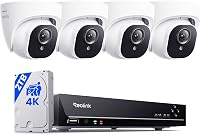
Are 4K Security Cameras Worth It Over 2K?
4K security cameras are worth it when you need to read faces or plates at a distance, and 2K is enough for a close entry. 4K uses more storage for the same days, so the drive size matters as much as the sensor.
On this page (9 sections)
A 4K camera is worth it when you need to read a face or a plate from a distance. For a close entry such as a front door, a 2K camera is often enough.
The choice also depends on how much storage you want to spend on the footage.
This page explains what the two resolutions mean, where 4K pays off, and how it changes the drive you need.
What 4K and 2K mean for a camera
Resolution is the number of pixels in the picture. A 4K camera records about 8 megapixels, which the maker may call 8MP, and a 2K camera records fewer, often around 3 to 4 megapixels.
More pixels show finer detail. That detail matters most when the subject is far from the camera or the frame covers a wide area.
When a 4K camera is worth it
A 4K camera helps when you want to read details at a distance. A long driveway, a side gate or a yard that runs back from the house all qualify.
A 4K camera also helps when you want to zoom into a recording. A sharper source gives you more to work with when you review footage after an event.
Hiseeu's 4K kit records 8MP cameras on a 1TB drive, and it suits a home with a few wide views to cover.
When 2K is enough
A 2K camera is enough for a close entry, such as a front door or a porch. The subject stands near the lens, so the extra detail matters less.
A 2K camera also uses less storage. For a small home with one or two cameras, a 2K kit may keep more days of footage on the same drive.
aosu's two-camera 2K kit uses battery power and built-in storage. It suits a small porch where the camera sits close to the door.
How 4K changes storage
Each 4K frame holds more data, so the drive fills faster at the same recording settings. A drive that keeps two weeks of 2K footage may keep less time at 4K.
The number of cameras multiplies the effect. Four or eight 4K cameras can fill a drive quickly, especially if they record around the clock.
Our hard drive guide for a security camera system shows how to size the drive for your settings. Pick the storage first, then decide how much resolution the drive can support.
Lighting and lens matter as much as the number
A 4K sensor with a poor lens won't show better detail than a good 2K camera. The lens and the light do much of the work.
Night view also changes the picture. Infrared gives a black-and-white image, while a spotlight can add color, and both affect how much detail you can read after dark.
ANNKE's 4K PoE kit uses a smart dual light for color night view, and it pairs six 4K cameras with a 2TB drive.
Where 4K pays off on a home
A 4K camera pays off most at the driveway, the gate and any spot where people stand back from the lens. It also pays off on a wide yard where one camera covers a large area.
For a close door camera or a small porch, a 2K camera gives a clear picture and keeps storage lighter. Mix resolutions across the system if the spots differ in distance.
Is a 4K security camera worth it for a house?
For most houses, 4K is worth it for the driveway and the gate, and 2K is enough for the entry and the porch. Mixing the two keeps the cost and the storage in line with the job each camera does.
How viewing distance changes the choice
Distance is the main reason 4K pays off. A camera that watches a person at the door sees plenty of detail at 2K, while a camera that watches a gate across a long driveway needs more pixels to show a plate.
Measure the distance from each camera to the spot you need to read. Then pick the resolution that holds that detail at the distance you measured.
Mixing resolutions in one system
Many systems mix resolutions, with 4K on the driveway and 2K at the entry. A recorder that accepts both keeps the footage in one place, so you can review the whole system from one app.
Check that the recorder's drive handles the total load. Higher resolution cameras add more data, so the mix needs a drive sized for the heaviest camera.
Are 4K security cameras worth it for your home?
Start with the spots you need to read clearly, such as a plate at the gate or a face at the door. Then check the distance from each mount point to that spot.
Pick 4K where the distance is long and the detail matters. Pick 2K where the subject stands close, and then size the drive for the days you want.
For a wider look at resolution across the list, see the best 4K security camera systems. For the buying steps, read how to choose a home security camera system, and for the wired side, the best wired security camera system roundup covers the DVR and PoE kits.
Frequently asked questions
Is 4K much better than 2K on a security camera?
It shows more detail, which helps at a distance. Up close, the difference is smaller, so a 2K camera often covers a front door well.
Does 4K use more storage?
Yes. A 4K picture holds more data than a 2K picture, so the same drive keeps fewer days at the same settings.
Is 4K worth it for a small home?
It can be, if the cameras watch a long driveway or a gate. For a small porch or a side door, 2K is often enough.